Four numbers per arm: running A/B tests without sending visitor data to a vendor
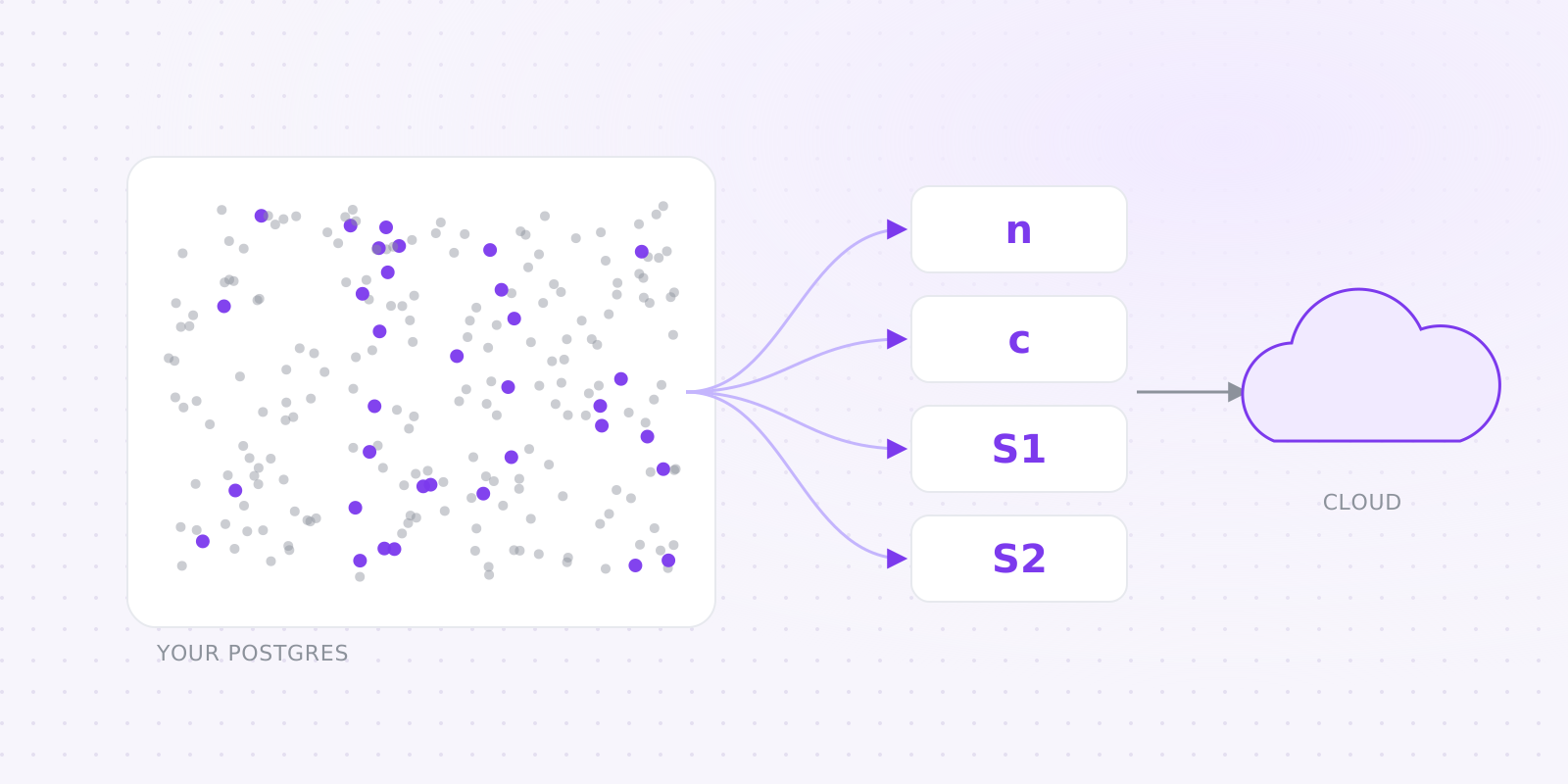
Most testing tools share one architecture. A script in the visitor's browser reports every page view and click to the vendor's servers, and the vendor computes results from that pile of events. It's simple to build, and it leaves a third party holding a row for every visitor you've ever had.
We went the other way. Raw events land in your Postgres, through a route on your own domain. Our cloud never connects to that database and never receives a visitor id or an IP address, yet it still computes every number in the dashboard. That works because of a piece of statistics most people never have to think about.
#What a Bayesian result actually needs
Take a yes/no goal like "signed up within 7 days". For each variant the model is a Beta distribution over the conversion rate, and its parameters come from two counts: how many visitors saw the variant (n) and how many of them converted (c). Who those visitors were, and what else they clicked on the way, never enters the formula.
Revenue per visitor needs a mean and a variance instead, and both fall out of two more sums: the total value (S1) and the total of the squared values (S2). The mean is S1 / n, and the variance needs S2 on top of that.
So the statistics need four numbers per arm, n, c, S1 and S2, and nothing else. Statisticians call these sufficient statistics: once you have them, the raw rows add no information.
#How the numbers reach us
On a schedule, the cloud sends your app a signed request to /api/evolve/aggregate naming the experiments and goals to count and the day to start from. Your app checks the HMAC signature against a secret that only it and the cloud share, rejects anything older than five minutes or seen before, and then runs the attribution SQL against its own Postgres.
The answer goes back as those sums, split by experiment, variant, goal and the day each visitor was first exposed. It also carries the same counts for "mature" visitors, the ones whose goal window has already closed, because guardrails compare those.
The heavy part happens in the cloud. Monte Carlo draws give P(beat control) and P(best); from there come expected loss, lift intervals, bandit weights, guardrail checks and the call to roll back a slow variant. None of that logic ships in the SDK.
#What it costs us, and what it costs you
We never store page views, so our costs grow with the number of experiments rather than with your traffic. A site with ten million monthly page views and two experiments costs us about what a site with fifty thousand does. That's why we can price plans per site and still be generous with traffic limits.
Your side of the bargain is a Postgres database. The one your app already uses works fine (the SDK keeps to its own evolve schema), or you can create one on Neon or Supabase in a couple of minutes. It's the biggest step in the quickstart, and we expect some teams to stall there.
Aggregation also runs real SQL on that database. It only counts new cohort days on each request, reconciles in full once a day and has timeouts, but on a busy database you'll want the indexes that next-evolve doctor checks for.
#Check our claim
"We only see aggregates" is an easy sentence to write, so we'd rather you verify it. The what leaves your server page lists every call the SDK makes or accepts and what each one carries: the signed bundle it downloads, the route and goal definitions it registers, each region's schema and control copy, and the aggregate sums.
It also lists what never leaves: visitor ids, your user ids, IP addresses, user agents, event properties, page paths, individual events and timestamps. The cloud's database has no column for any of them, and a test fails if someone adds one.
The SDK is MIT licensed and published on npm. Read the code that will run on your servers before you install it; we'd do the same.